
Backing up is important, and you should do it regularly.
1. Log in to your cPanel account.
2. In the Files section, click on Backup.

3. Under Full Backup, click on Download a Full Website Backup.
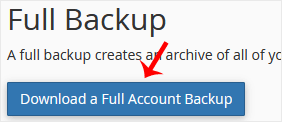
4. Under Generate a Full Backup, enter the following details:
Backup Destination: Select the Backup destination to Remote FTP Server.
Email: Enter your email address.
Remote Server: FTP IP address or FTP domain name such as ftp.example.com.
Remote User: Your FTP Username.
Remote Password: Your FTP Password.
Port: 21 or other FTP Port.
Remote Dir: Remote Directory such as /home/username/backupfolder/.
5. Once you fill in the Remote FTP details, click on Generate Backup. 
Bilgi bankasını detaylı olarak incelediniz, fakat ihtiyacınız olan bilgiyi bulamıyorsanız,
Bir Destek Talebi Oluşturun.



 Türkiye (Türkçe)
 Worldwide (English)