


X

Lütfen Ülke (Bölge) Seçiniz

Türkiye (Türkçe)Türkiye (Türkçe) Worldwide (English)Worldwide (English)
X

Lütfen Ülke (Bölge) Seçiniz

Türkiye (Türkçe)Türkiye (Türkçe) Worldwide (English)Worldwide (English)

Bilgi Bankası

AnasayfaBilgi BankasıTestHow to Access Softaculous in cPanel

How to Access Softaculous in cPanel

Softaculous is a one-click script installer that automates the installation of web applications in a website. You can access it via cPanel.


1. Log in to your cPanel account.

2. In the Software section, click on Softaculous Apps Installer.

 

3. cPanel will open the Softaculous interface.
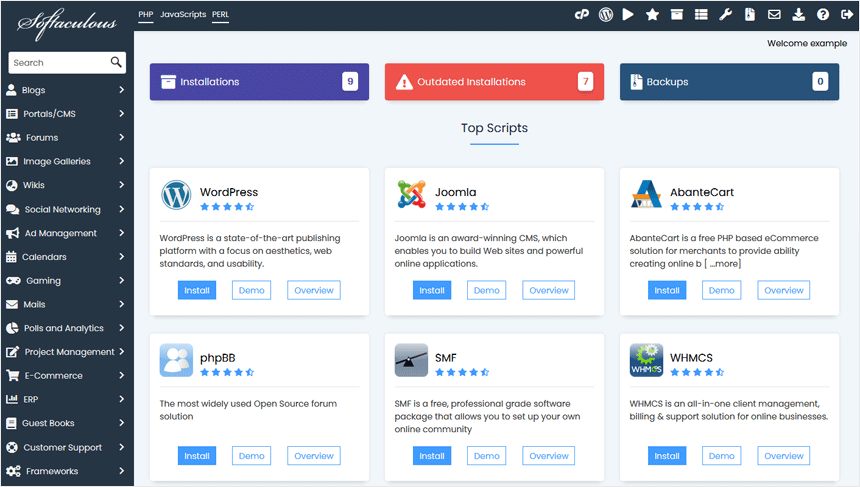

If you want to go back to cPanel, click on the cPanel icon.
 

Aradığınız Bilgiyi Bulamıyor musunuz?

Bilgi bankasını detaylı olarak incelediniz, fakat ihtiyacınız olan bilgiyi bulamıyorsanız,

Bir Destek Talebi Oluşturun.
Faydalı Buldunuz mu?
(106 defa görüntülendi. / 0 kişi faydalı buldu.)

Powered by WISECP
Top


