


 Turkey (Türkçe)
 Worldwide (English)
You can redirect your add-on domain to another domain.
1. Log in to your cPanel account.
2. In the Domains section, click on Addon Domains.

3. Under Modify Addon Domain, locate the add-on domain and click on Manage Redirection.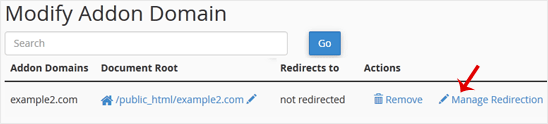
4. Enter the link to which you wish to redirect the add-on domain in the available text box.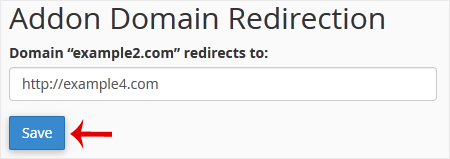
5. Click on Save.


