


 Turkey (Türkçe)
 Worldwide (English)
You can use cPanel's inbuilt file manager to edit files on your website.
1. Log in to your cPanel account.
2. In the Files section, click on File Manager.

3. Navigate to the directory where your file is located.
4. Right-click on the file. Then click on Edit or HTML Edit in the Context Menu. 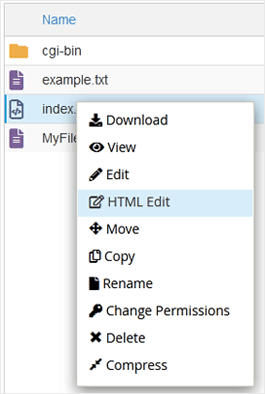
5. In the HTML Editor window, click on Edit.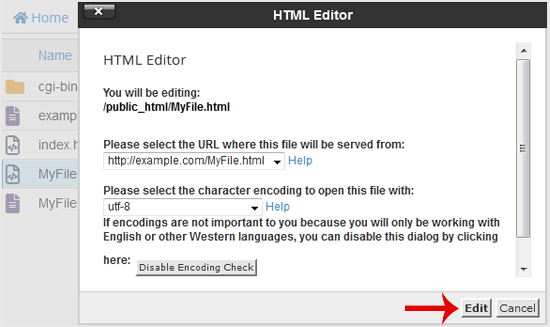
6. Make changes to the file and then click on Save Changes. 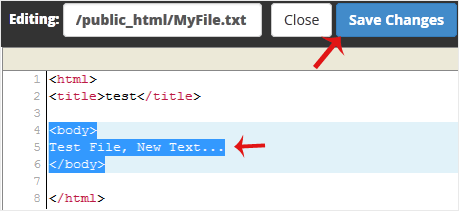
Your file has been successfully edited.


