


 Turkey (Türkçe)
 Worldwide (English)
Follow these steps to change the language of the Plesk Panel.
1. Log in to your Plesk account.
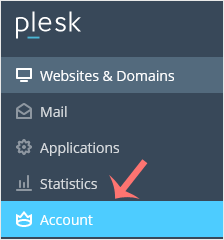
2. Click on Account from the Sidebar Menu.
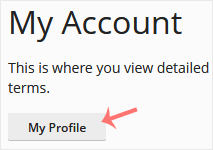
3. Click on My Profile.
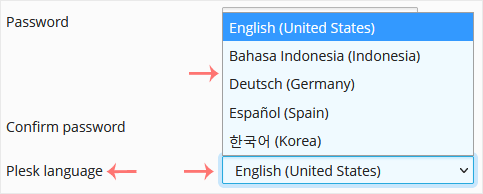
4. Scroll down to the Plesk language and choose the appropriate language from the drop-down menu.
5. Click Apply.

The language in your Plesk account has been successfully changed.


