


 Türkiye (Türkçe)
 Worldwide (English)
If you can access your SolusVM VPS control panel, you can easily change your SolusVM password. We recommend changing the password every three months.
1. Log in to your SolusVM Control Panel.
2. From the top navigation bar, click on My Account.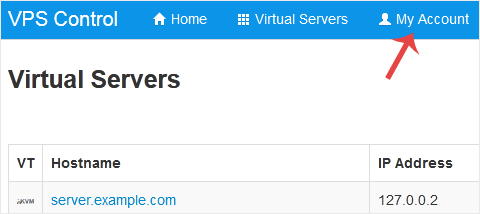
3. Under Change Account Password enter the following details:
Current Password: Your current SolusVM Control panel password.
New Password: Your new password.
Repeat New Password: Again, enter your new password.
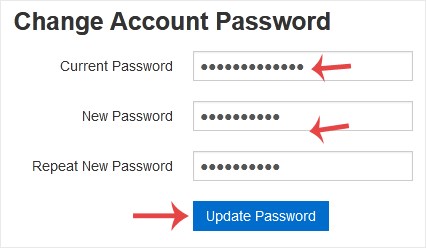
4. Click on Update Password.


